Early access to new optimizing pipeline mv2.0
Jul 14, 2026
Available now
Ahead of the official on-device release. Still seeing drift after you tried the current optimization methods in the app?
We’re refining a new post-scan optimizing pipeline (mv2.0) with significantly improved drift correction and while it’s not yet built into the app, our team can run it for you manually.
This service is free for all MAVO 3D Professional subscribers (there’s a free 7-day trial waiting in the App Store).
Access to this trial requires agreeing to our terms via the request form below.
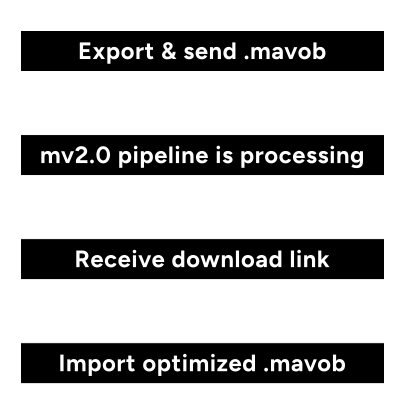
How it works
Fill form and export scan
- Request access: Fill out the short form with your name, email, and confirmation that you’ve read our terms and conditions.
- Scan your project with RAW data capture enabled, we need the raw data to run the optimization later.
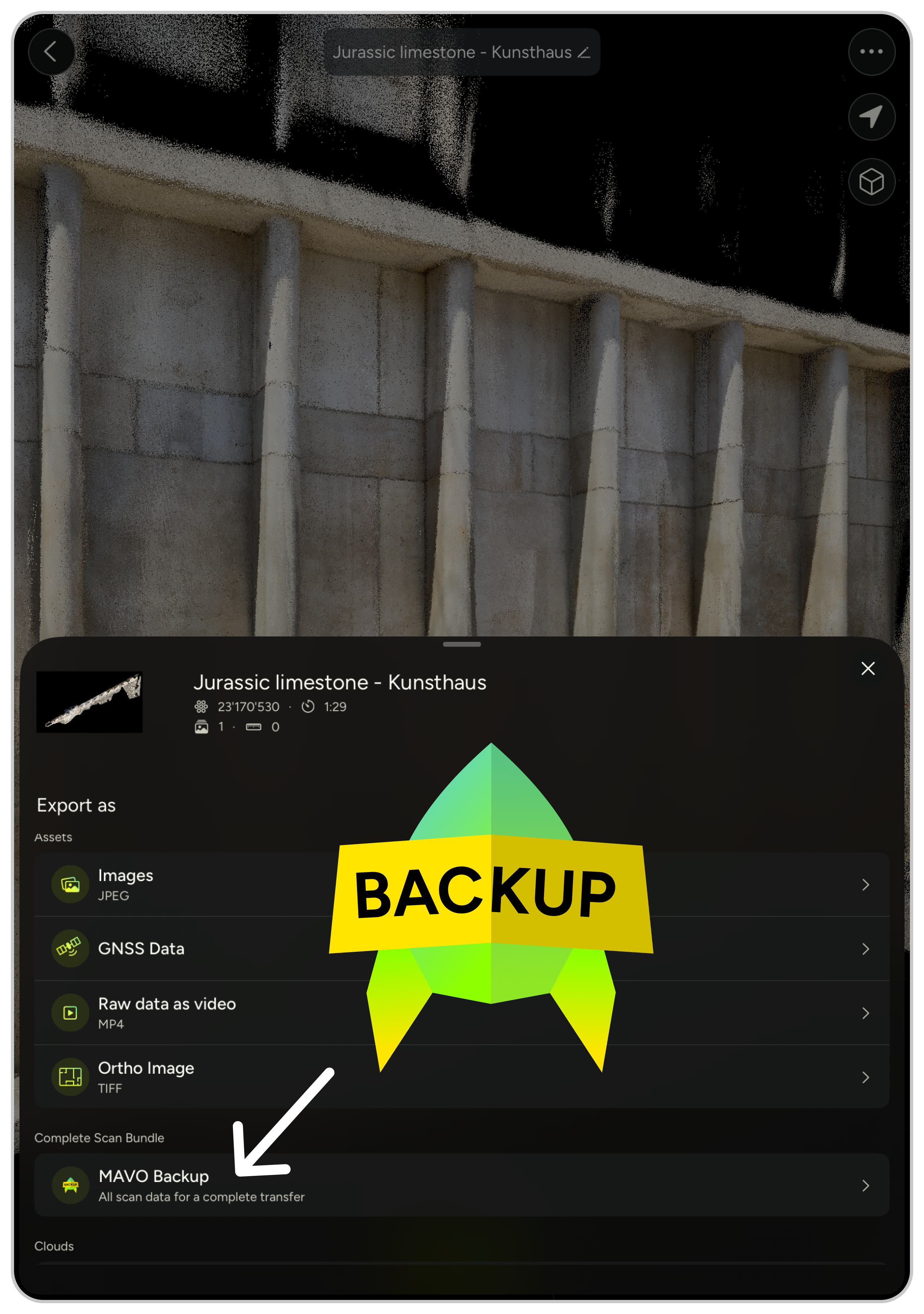
- Export your scan as a MAVO Backup (.mavob) file. Requires a Professional subscription.
Send file
- Check your inbox. We’ll email you, where to send your scan.
- Send us your file via SwissTransfer, or share cloud storage access so we can download it.
mv2.0 optimizes
- We process it on our secure, encrypted servers using our new mv2.0 pipeline.
- We email you a link to your processed scan.
Download & import
- Download within 14 days. We don’t host projects long-term. We’ll send you a reminder shortly before your data is deleted, and after this window all data is removed to keep customer data safe.
- Import the processed MAVO Backup file to MAVO 3D.
More info
How to send your file
Once you’ve submitted the request form, we’ll confirm by email where to send your file:
- Option 1: SwissTransfer or similar file sharing provider.
- Option 2: Upload to your own cloud storage and grant us access to download it.
- None of the above work for you? Fill out the request form and reply to the email we send you, we’ll offer you a file drop to our cloud storage instead.
How long does it take until I get the scan back?
Turnaround depends on current request volume and your scan size, typically a few days up to two weeks. We’ll send you a time estimate once we’ve received your scan. Since this is a manually handled process, we can’t guarantee an exact timeline.
Terms & Conditions
Early mv2.0 pipeline access
- Exporting a MAVO Backup (.mavob) file requires an active Professional subscription.
- Only MAVO Backup (.mavob) files containing the required raw scan data are accepted. No other file formats are supported.
- Users are responsible for the successful transfer of their files to MadVoxel AG.
- Submitted files are retained only for processing purposes and are permanently deleted 14 days after processing has been completed.
- Users are responsible for downloading the processed project before the deletion date.
- MadVoxel AG is not responsible for the user’s own storage, backup, or long-term retention of project files.
- By submitting the Program request form and confirming acceptance of these Terms, the user agrees to these Program-specific conditions. Full terms are available here: Terms and Conditions
Request access to mv 2.0
Test our new optimization pipeline ahead of official release, free of charge.
New to MAVO 3D?
Create your first 3D point cloud right away and export your project as MAVO Backup file to test our new post-scan optimizing pipeline with a free 7-day trial of our Professional subscription.