What’s the difference between a point cloud and a mesh?
Sep 03, 2026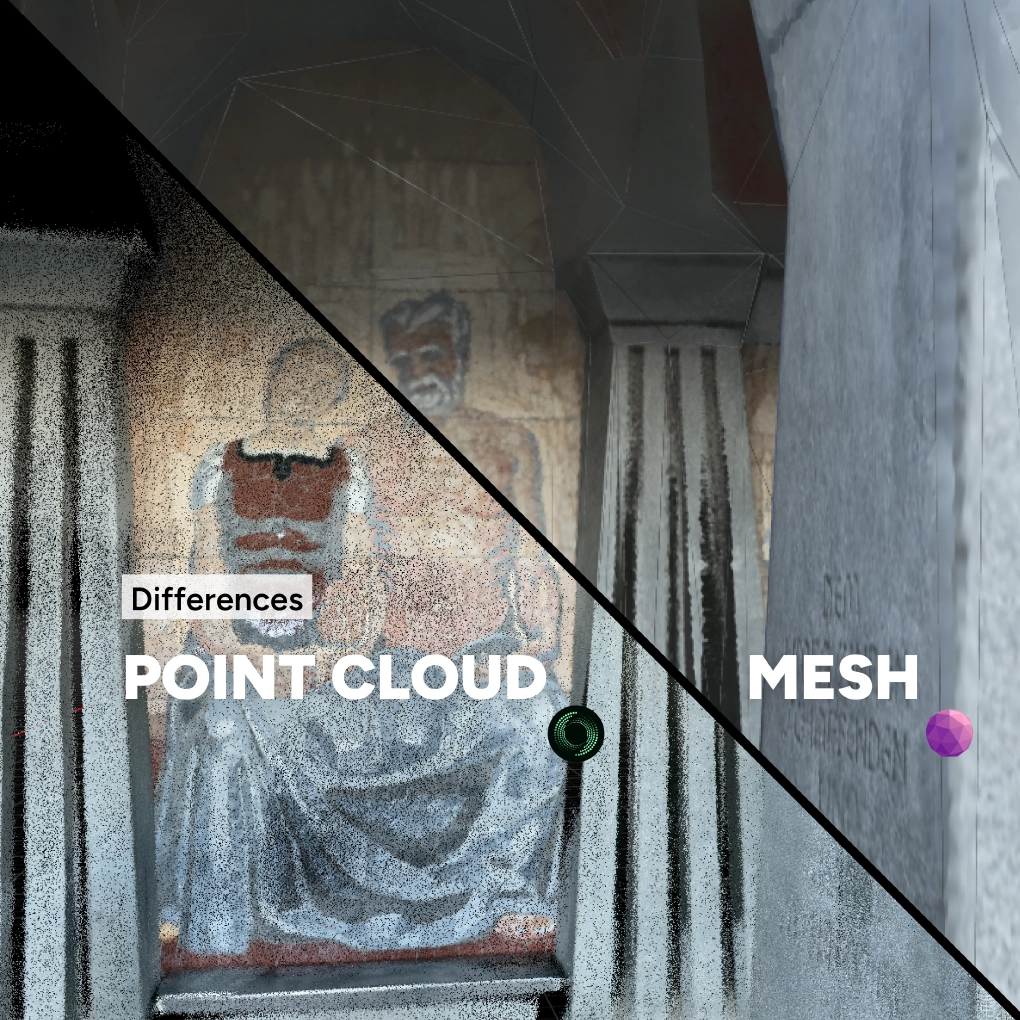
Point Clouds
A 3D point cloud is a 3D model presented as discrete points, which are positioned in a spatial context. Depending on the capturing method, the point clouds can be presented as colourized point clouds or monochromatic.
Because of the representation as points, they can show the raw geometry of an object or structure without any assumption applied about surface continuity. This makes them very useful for unusual structures and complex surfaces. Point clouds capture spatial details while maintaining the measurement accuracy.
A 3D point cloud can be created with both, LiDAR sensors and image-based systems (Photogrammetry).
Meshes
A 3D mesh consists of polygons which are created by connecting and interpolating points from the point cloud. The goal is to create smooth, continuing surfaces and define structural relationships. Meshes can have different visual fidelity, from basic geometric shapes to more complex organic structures.
The more accurate and dense your point cloud was in the beginning, the better the resulting mesh will be. These continuous surfaces allow to do useful operations such as measurements for floor plans, volume calculations for stack piles, AR- and VR-visualizations and simulations, as well as for 3D printing.
Mesh quality depends on point cloud quality
Point clouds form the foundation for creating other 3D data products, such as meshes. MAVO 3D currently focusses on delivering high-quality point clouds as a reliable foundation for creating accurate 3D models.
The quality of the final mesh depends heavily on the quality of the underlying point cloud.
If the scan does not capture enough data or contains errors, these can carry over to the final 3D model. This is very important and the reason why we at MadVoxel focus on getting the foundation right. The denser and more accurate the point cloud capture, the less time is needed to fix it later.
Getting started
Looking for a robust 3D scanning solution, built for reliable results? Download MAVO 3D on the App Store.
Other questions?
Talk to a 3D scanning expert.
Follow us on YouTube / @madvoxel