Case Study
Hair salon to residential apartment
Documenting conversion progress with mobile 3D LiDAR scanning
Case Study
Documenting conversion progress with mobile 3D LiDAR scanning
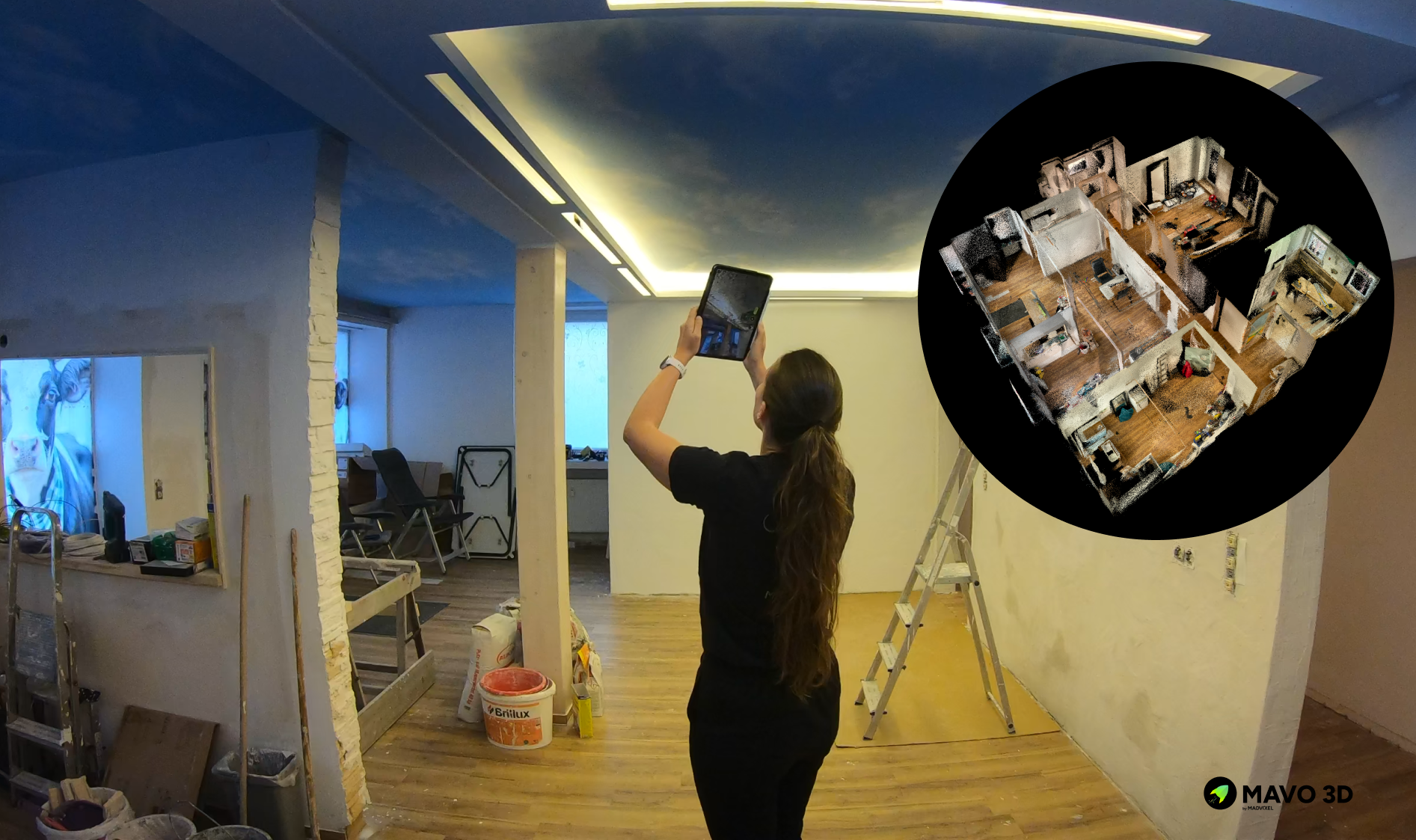
For smaller companies, hiring external surveyors is often too expensive and purchasing dedicated scanning equipment cannot be justified when scanning needs vary by project.
The team needed a practical solution for continuous as-built documentation. Ideally one that would enable progress tracking without specialized knowledge or significant upfront investment.
MAVO 3D addressed this challenge by offering:
A team member with no surveying background used only a smartphone to capture comprehensive 3D documentation.
Eliminated the need for expensive external surveyors and capital investment in dedicated equipment.
Quick scanning rounds fit naturally into routine site visits, enabling continuous documentation of each project phase: framing, wall opening, door installation, and fixture placement.
Detailed 3D records provide a visual foundation for the team’s final plans for official registration.
120 m² in 15 min
The entire 120 m² unit can be fully captured in 8 - 15 minutes, making documentation a quick addition to routine site visits. Scans took slightly longer during the initial construction phase when material storage and equipment cluttered the rooms, making navigation more challenging. Even accounting for these conditions, the total time investment remained minimal compared to scheduling external surveyors or organizing dedicated scanning sessions.
This efficiency meant the team could easily repeat scans at key project milestones without disrupting workflow.
Scan | Repeat | Track
This pilot project tested MAVO 3D’s ability to document renovation progress over time. The team aimed to validate the tool’s effectiveness by capturing repeated scans, assessing 3D model output quality, evaluating ease of use for teams unfamiliar with 3D scanning, tracking physical changes, and ultimately generating updated floor plans for official property registration.
The unit was being converted from a commercial hairdressing salon layout to a residential apartment.
Key tasks included:
Removing backwash basins, floor-level water installations and complete flooring replacement in the former salon area.
Closure of water connections and removal of the paint mixing workstation.
Addition of a new bathroom with a small bathtub, including fresh drywall framing, water supply lines, ventilation ducting, and electrical wiring
This scope provided an ideal test case: significant structural changes, new systems installation, and multiple phases suitable for progress documentation.
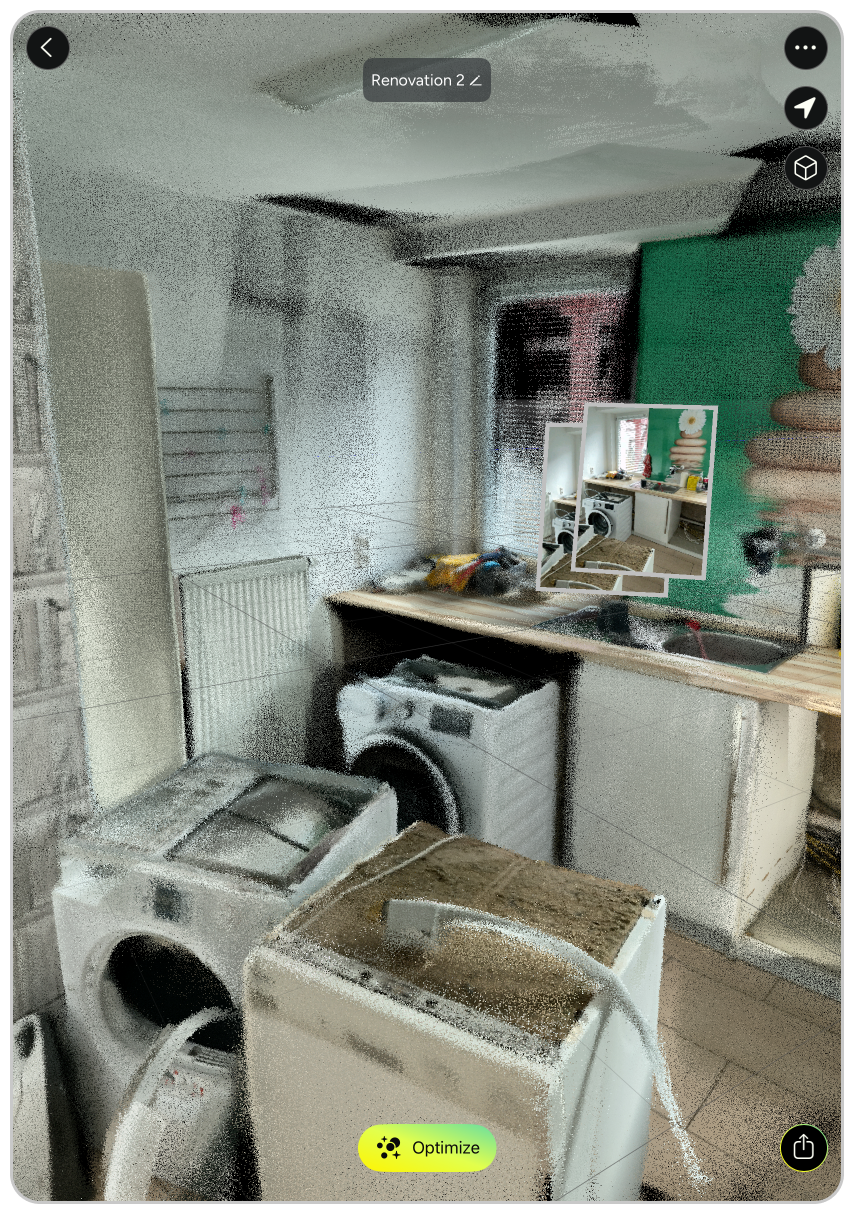
3D scan of kitchen area
Appliances are removed
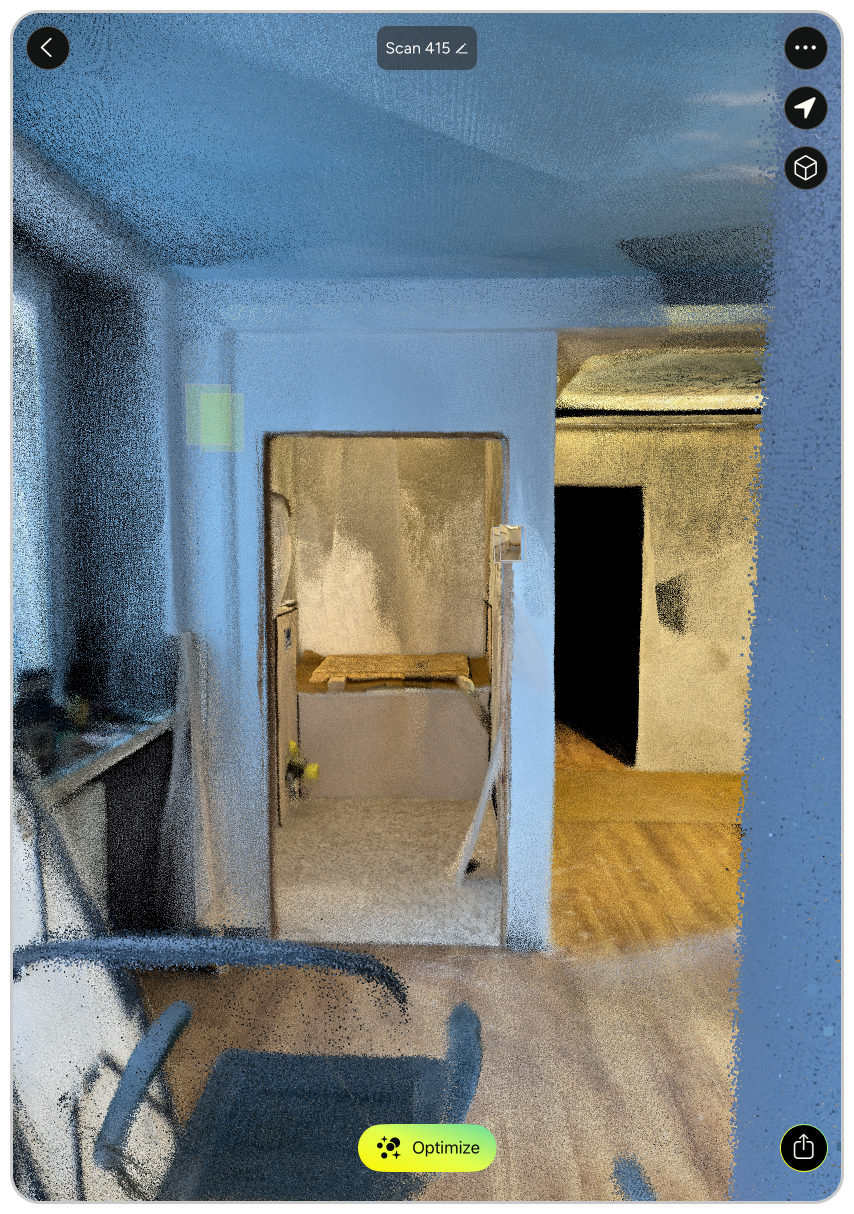
3D scan of new bathroom
Drywall finished, fixtures ready
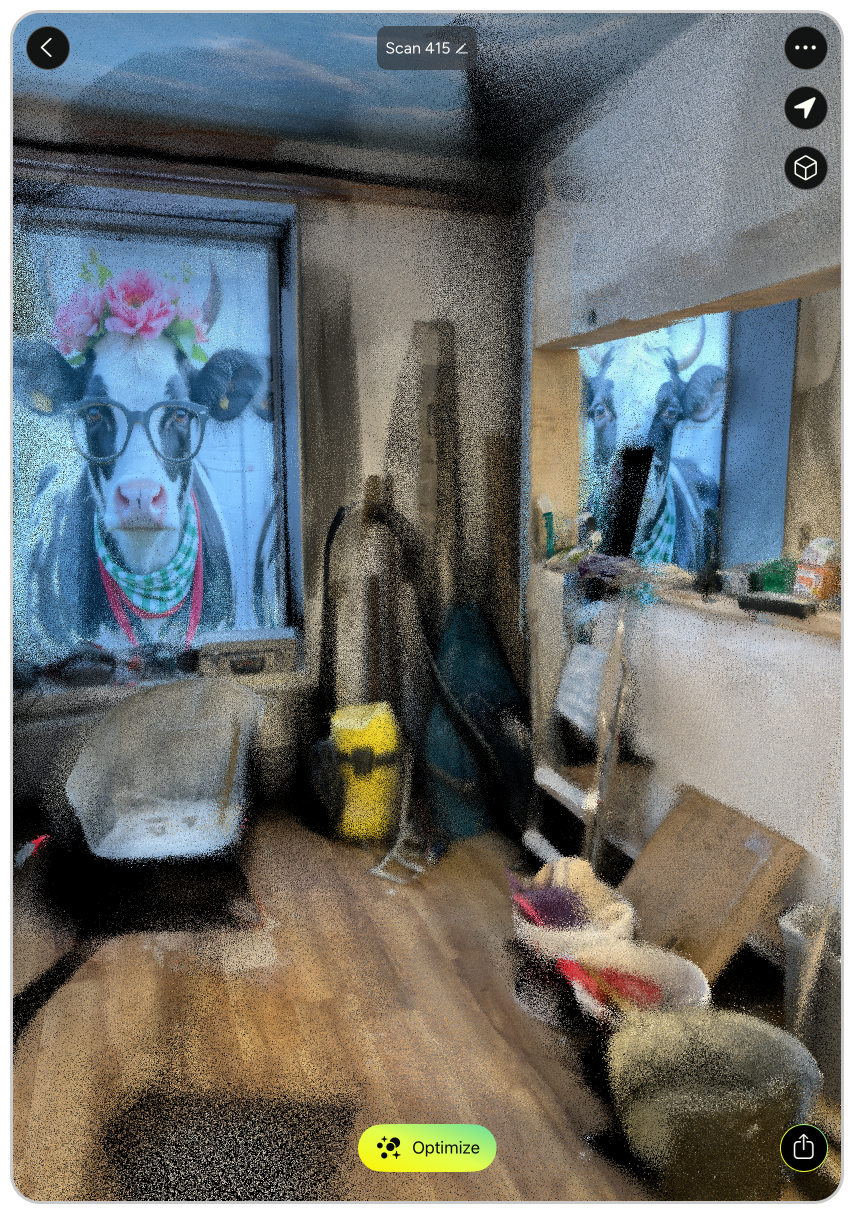
3D scan of new living area
Previously the backwash station
We began with an initial baseline scan during the early construction phase, capturing the space as commercial furniture was being disassembled and new drywall framing was underway. From this starting point, the team got equipped with a shared iPhone 12 Pro and full access to MAVO 3D Professional features and continued documentation independently at each major construction milestone.
No external support or specialized training was needed. The team simply repeated scans throughout the project at critical decision points, building a continuous visual record of changes as the renovation progressed.
After each scan, the team exported the captures as MAVO Backup files (.mavob) and uploaded them directly to the self-hosted Nextcloud server.
This way they could free up local device storage by offloading raw scan data. The .mavob format preserves all captured raw data, allowing scans to be transferred between devices for further processing or collaborative review without data loss.
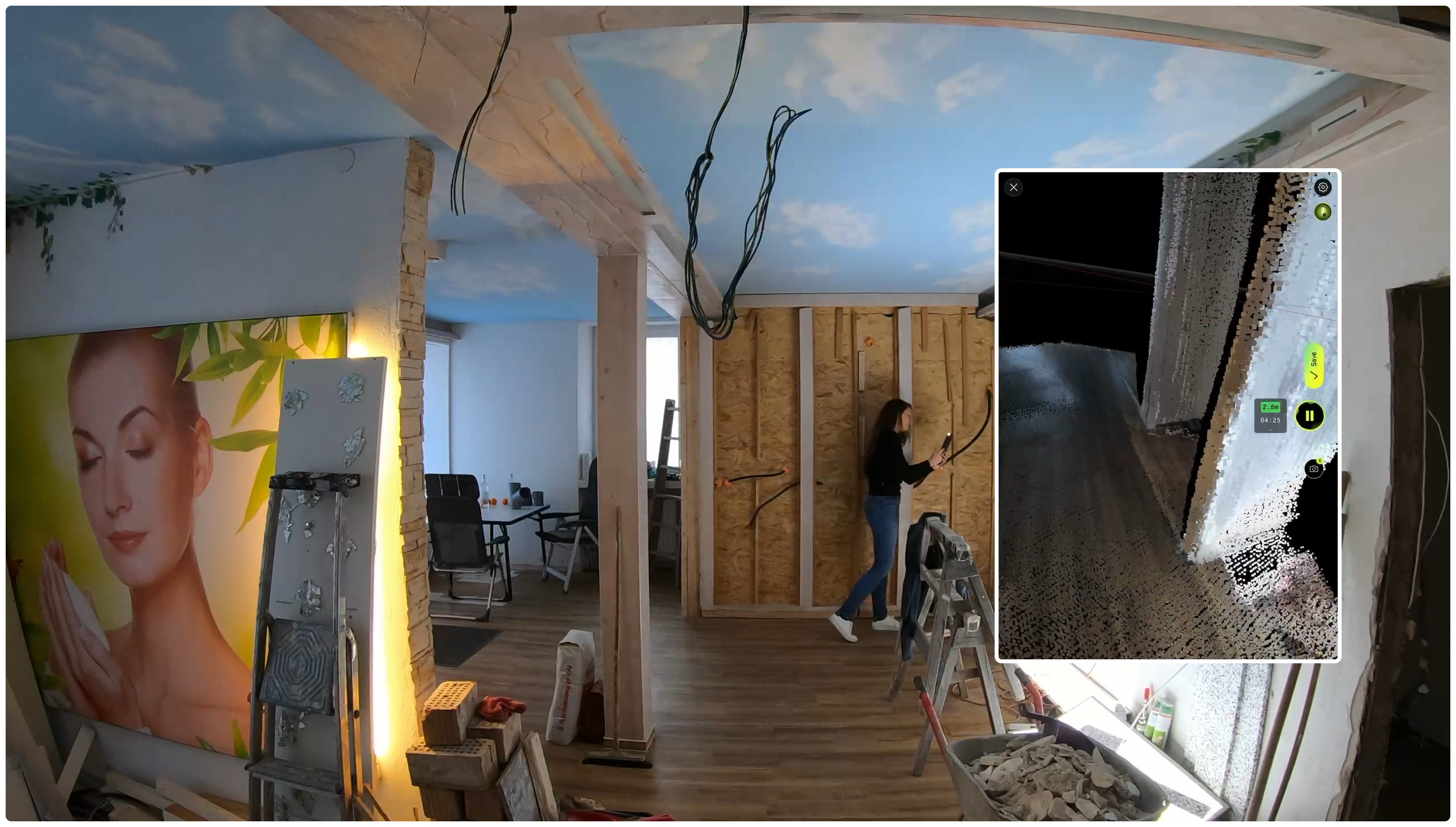
3D scanning on site
MAVO 3D requires a LiDAR-equipped device, such as:
iPhone: 12/13/14/15/16/17 Pro & Pro Max
iPad Pro: Starting with the 2020 model & all M-series iPad Pros (M1, M2, M4, M5).
These models include Apple’s LiDAR sensor, a light-based depth measuring sensor that MAVO 3D uses to capture and process high-accuracy 3D point clouds.
Dedicated scanners from Leica, NavVis, Trimble, Faro and others are built for survey-grade precision, but they also require significant investment, specialist operators and lenghty setup times.
Powered by our own MAVO Core algorithm, we process sensor and camera data in a way that makes MAVO 3D the only iPhone Pro and iPad Pro LiDAR app capable of scanning across a broad range of environments and scan sizes. We also apply loop closure methods to clean up your point cloud after scanning. Which is by the way, the biggest technical challenge for SLAM-based mobile solutions on the market, including those from established players.
Our MAVO 3D users capture detailed interior rooms, multi-storey buildings, exterior facades and outdoor construction sites. Use cases include as-built doucmentation, floor plan creation and volume calculations in the field.
Where dedicated scanners are the right call for the highest-precision survey work, MAVO 3D closes the gap for professionals who need fast, reliable, and flexible 3D capture without specialist hardware.